 2 hours ago
3
2 hours ago
3
Dashboards have long served as a primary way for organizations to extract insights from data, but they can fall short in agile environments: Dashboards aren’t interactive and don’t allow you to ask follow-up questions. This forces users to step outside their workflows or turn to data analysts to get the answers they need. Today, we are introducing Looker dashboard agents in preview, embedding intelligent, conversational data agents directly within dashboards and empowering users to explore their business intelligence (BI) data using natural language.
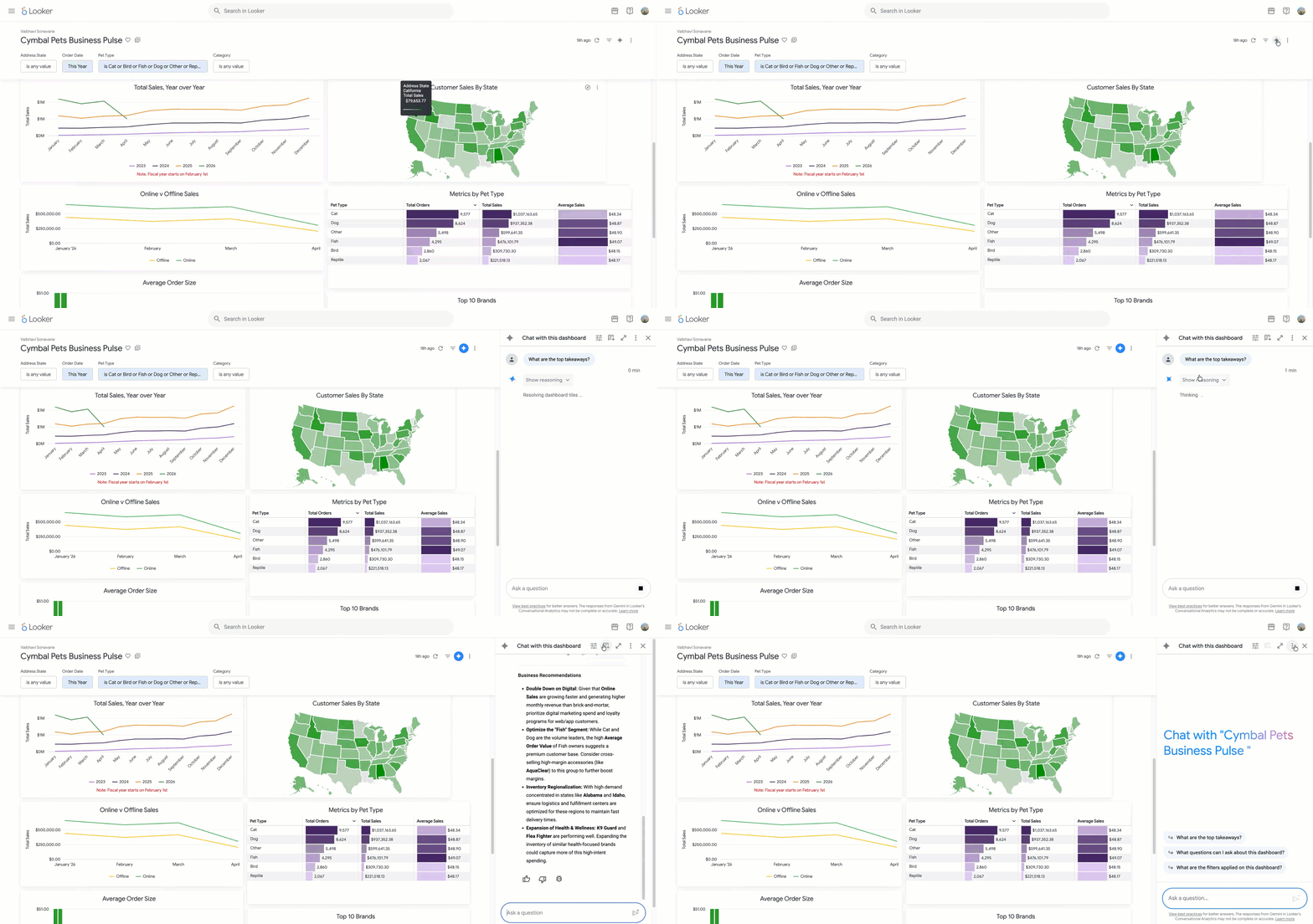
Start a conversation with a Looker dashboard agent
Interactive agent-led investigations
Traditionally, dashboards have presented a static view of data. With dashboard agents in Looker, users can explore their data directly within the dashboard interface. Users can start a conversation by clicking the Gemini icon and asking natural-language questions to receive contextual insights.
The accuracy of a data agent depends on the business context it is provided, and its ability to map appropriate metrics and dimensions to users’ inquiries. The Looker dashboard agent has direct context about the user’s applied filters, cross-filters, and pre-curated tiles, helping it to generate highly relevant and accurate answers to complex business questions.
Should a query require more data, the agent can access underlying Explores to uncover additional information. These insights are paired with relevant charts and natural language explanations to simplify data exploration.
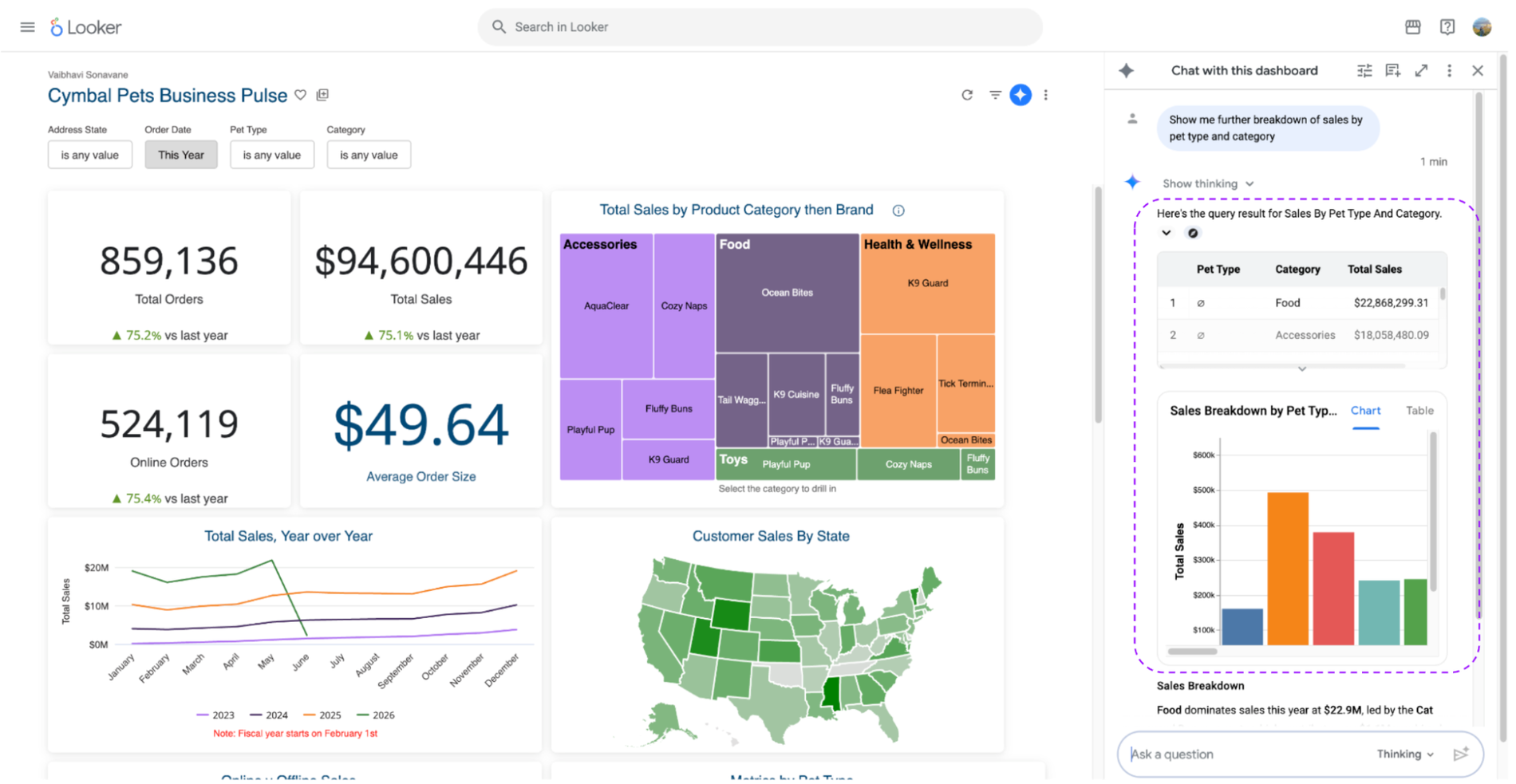
Explore data beyond dashboard to uncover deeper insights
Tailor the agent to your business
Data analysts curate dashboards to provide business users with precise perspectives on organizational data. To maintain this kind of consistent and reliable analytical environment, the Looker dashboard agent is highly configurable. Analysts can add context on top of the Looker semantic layer by providing natural-language instructions directly to the agent. This way, they can define exactly how the agent interprets unique business logic and tailors responses for the target audience. By enabling self-serve data analysis, dashboard agents help analyst teams scale to meet the increasing data demands of the business.
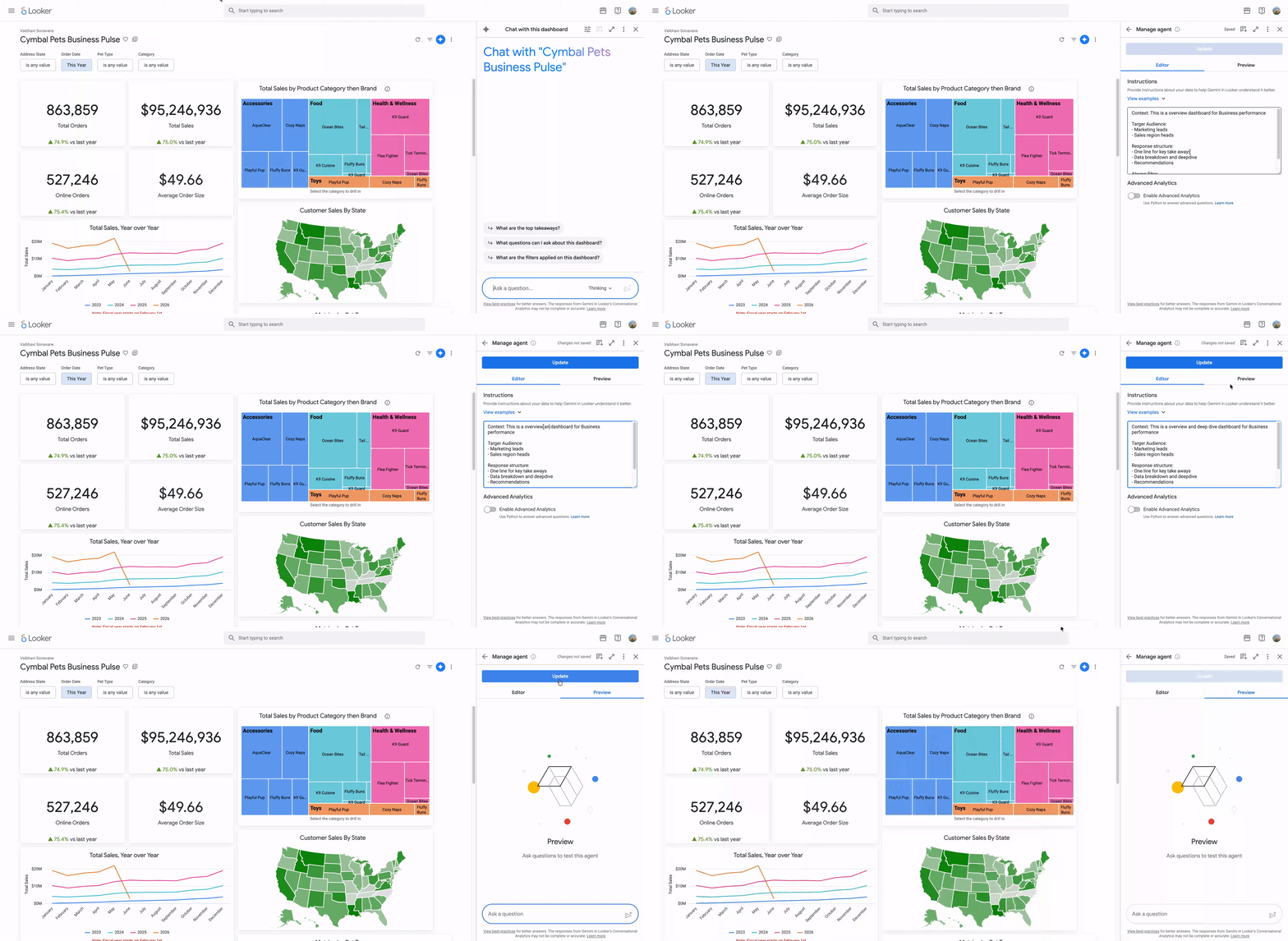
Configure Looker dashboard agents
Inherited trust and transparency
For users to adopt an AI-based system, they must trust the information it provides them. When generating an insight, the Looker dashboard agent explicitly shows its work by displaying intermediate reasoning, referenced dashboard tiles, and applied filters. Additionally, the administrator needs to trust users only have access to data and insights to which they are authorized. The dashboard agent is backed by Looker’s governance model, managed through standard permissions.
We are actively working on additional capabilities for the Looker dashboard agent, including support for iframe embedding, allowing organizations to bring dashboard agents alongside Looker dashboards into any essential portal or application.
Enable dashboard agents today
With Looker version 26.08.11 and later, administrators can activate the dashboard agent capability by toggling "Enable Chat with Dashboard" within the Gemini in Looker settings. Once enabled, authorized users will see the Gemini icon and can begin chatting with their dashboard data immediately. Please explore our support documentation for more detailed information.